If you’re considering downloading IPTV Smarters Expert, this article is for you. We’ll share our honest review of the app, explain how to use it across multiple platforms, and explore its main features. Stay with us to discover more information about IPTV Smarters Expert, as well as some similar applications that you can use as alternatives.
Table of Contents
What is IPTV smarters expert ?
IPTV Smarters Expert is an IPTV player designed for peak performance, allowing users to enjoy live TV, movies, and live streaming from IPTV providers. The app supports M3U playlists, Xtream Codes API, EPG, subtitles, and Stalker Portal integration. It offers a user-friendly interface, Picture-in-Picture, Chromecast support, replay features, custom categories, and high-quality HD/4K playback on platforms such as iPhone, Apple TV, Mac, and other devices.
How to Use IPTV Smarters Expert :
On Android :
- Download the app
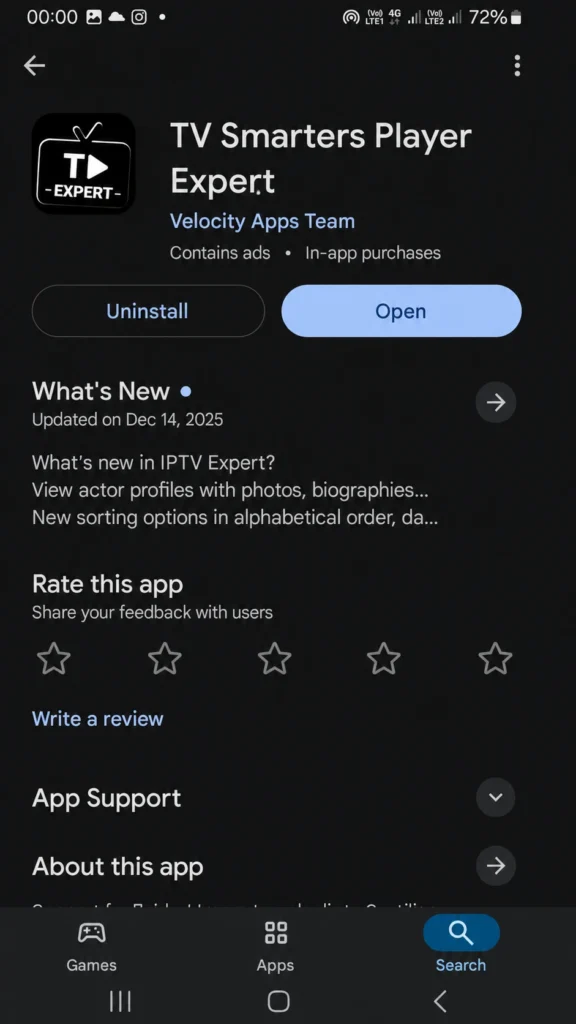
Install the app from Google Play, then open it on your Android device.
2. Add your playlist
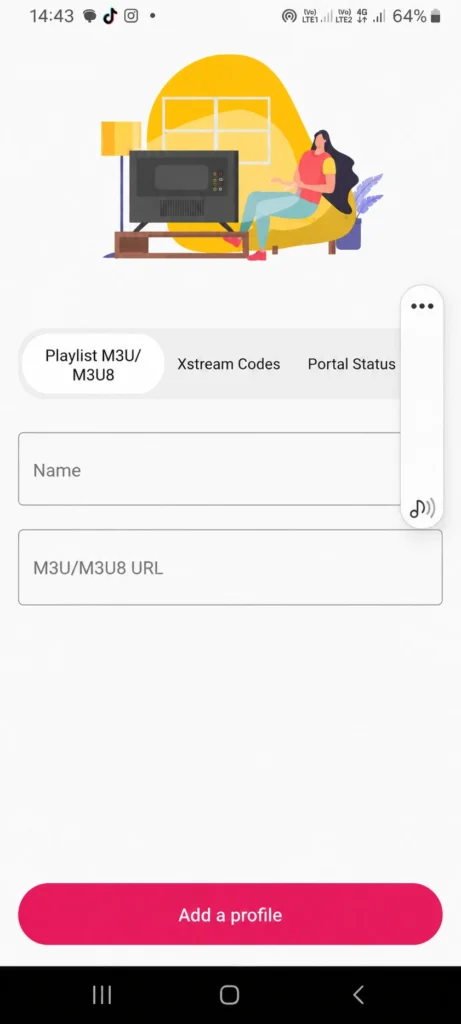
Choose M3U, Xtream Codes, or Portal, depending on your IPTV provider.
3. Enter your details
Add your username, password, and server URL if needed.
4. Start watching
Wait for the content to load, then enjoy your channels, movies, and series.
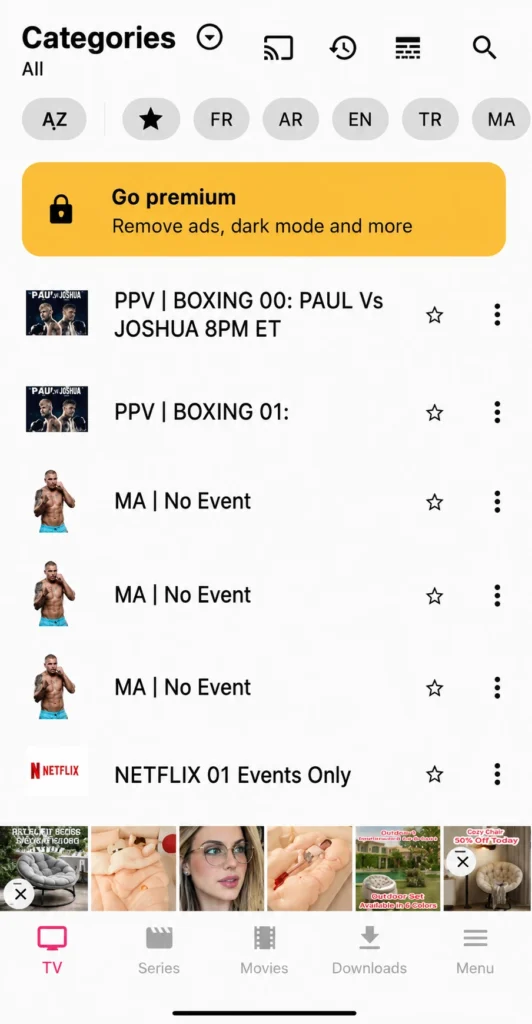
On IOS :
to use the app on iOS :
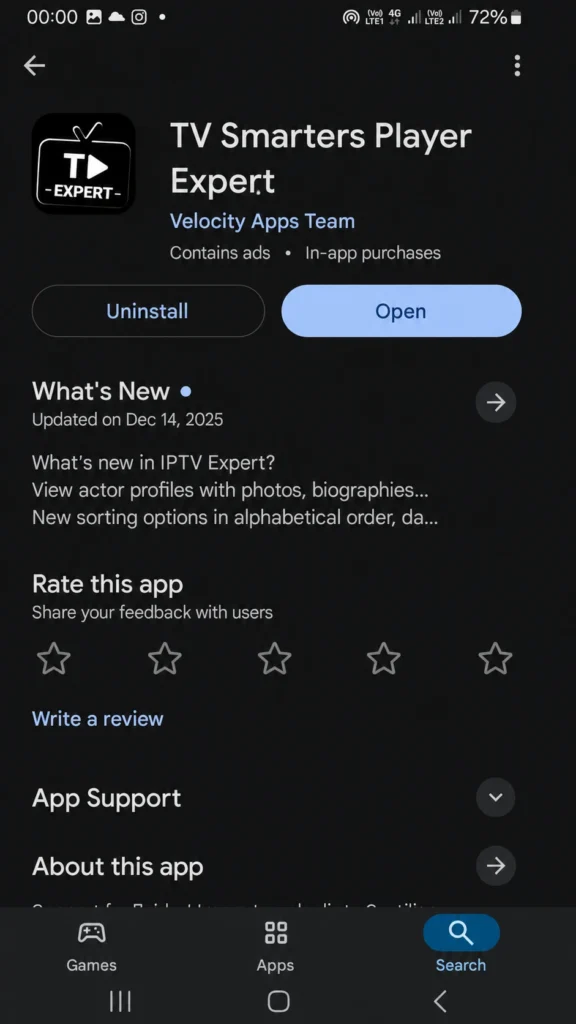
1. Download and open the app
First, download the app from the App Store. Once the installation is complete, open the app on your iPhone or iPad.
2. Add your playlist
Choose Add Playlist, then select the format you want to use. The app usually supports three options: M3U, Xtream Codes, and Portal.
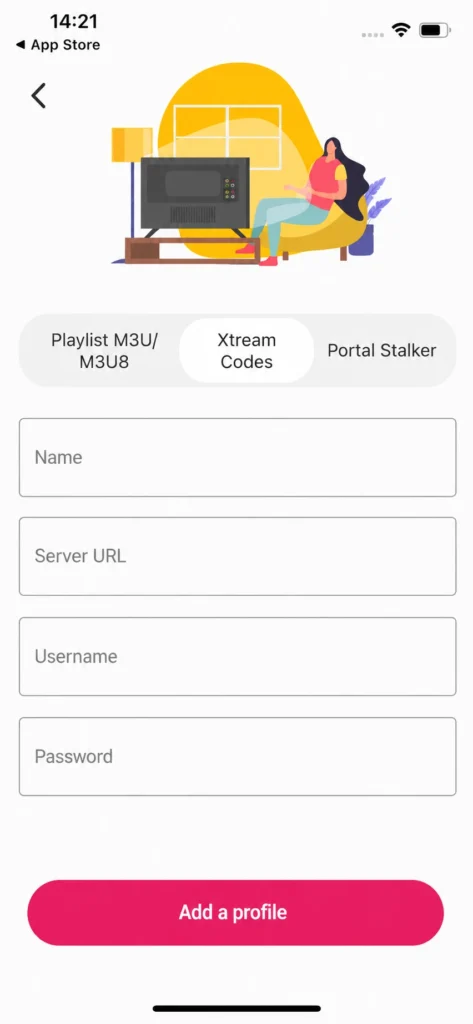
3. Enter your IPTV details
For example, if you choose Xtream Codes, enter the username, password, and server URL provided by your IPTV provider. Wait a few moments for the content to load, then start watching.
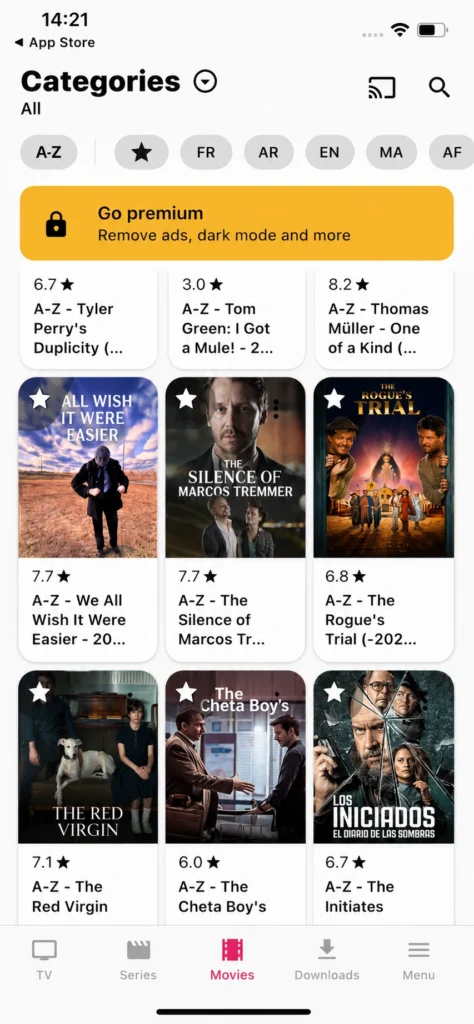
On Windows :
- Download and install the app
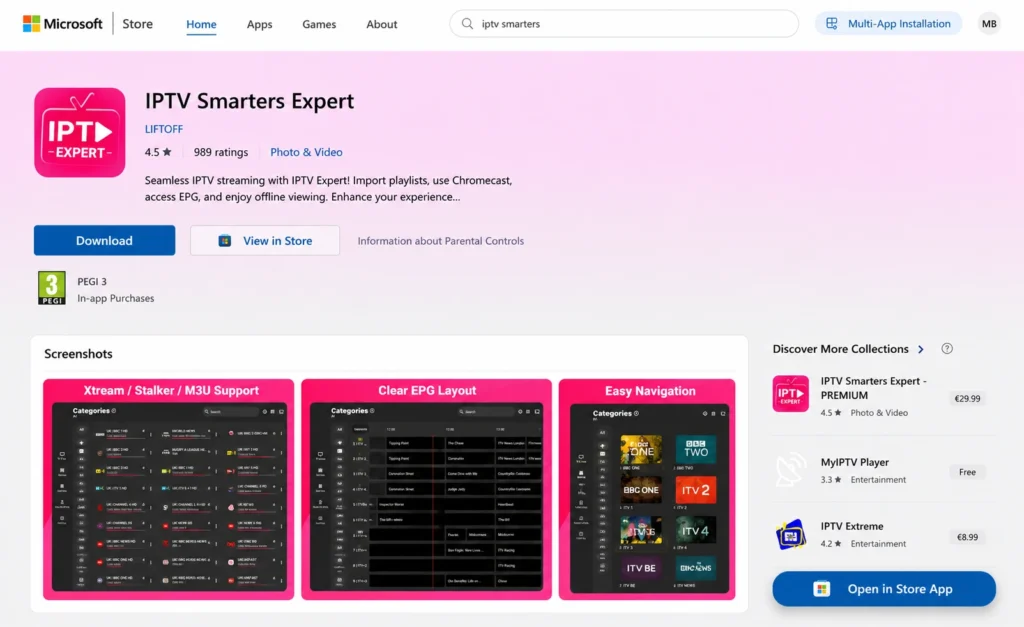
First, download the app on your Windows PC from the official source or Microsoft Store if available. Once the installation is finished, open the application.
2. Add your IPTV playlist
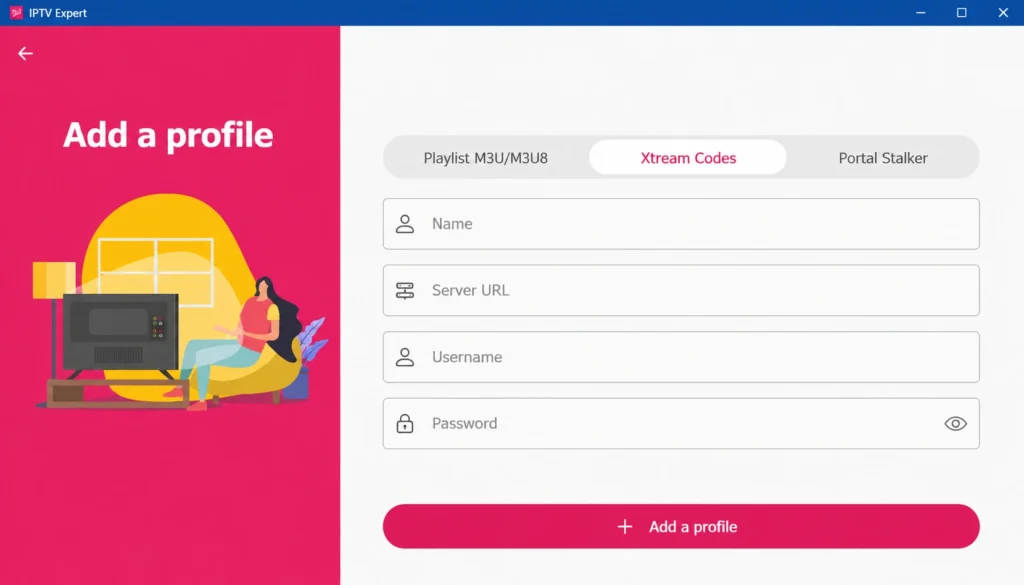
On the home screen, choose Add Playlist or Add User. Then select the method you want to use, such as M3U link, Xtream Codes, or Portail.
3. Enter your subscription details
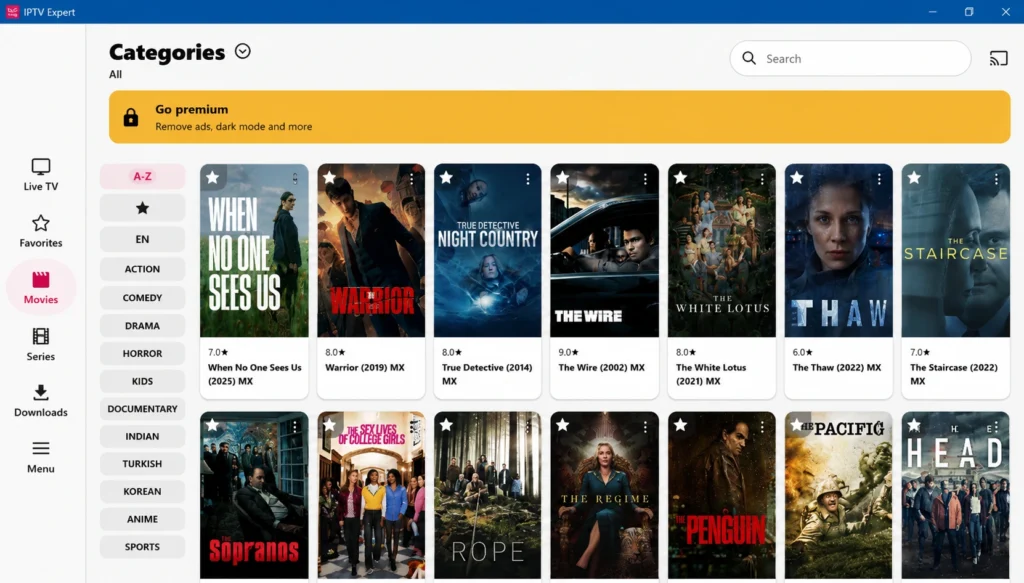
If you choose Xtream Codes, type the username, password, and server URL provided by your IPTV provider. Wait a short moment for the channels, movies, and series to load, then you can start watching on your Windows device.
Alternative apps to IPTV smarters expert :
IPTV Stream player :
IPTV Stream Player is an application that works efficiently and can be considered a good alternative for playing IPTV content. It supports several image qualities, including high resolutions, to provide a smooth and enjoyable viewing experience. The app also offers different ways to add a playlist, such as an M3U link or Xtream Codes login details, making it compatible with various devices and user needs.
Pros :
- Supports high-quality streaming.
- Works with M3U and Xtream Codes.
- Compatible with several devices.
- Simple interface for daily use.
- Good option for IPTV beginners.
Cons :
- Does not provide channels itself.
- Needs a stable internet connection.
- Some features may depend on the device.

IPTV Stream player
IPTV Smarters pro :
IPTV Smarters Pro is a complete IPTV player known for its clean interface and wide compatibility with Android, iOS, Firestick, Windows, macOS, and some Smart TVs. It supports M3U, M3U8, and Xtream Codes, with useful options like favourites, multi-playlist support, HD/FHD playback, and multi-screen viewing for a smoother streaming experience.
Pros :
- Modern and organised interface
- Supports M3U, M3U8, Xtream Codes
- Works on many devices
- Useful multi-screen feature
Cons :
- Setup may confuse beginners
- Requires an external IPTV provider
- Large playlists can slow the app
- Some features are paid

IPTV Smarters pro
Ibo-pro-player :
IBO Pro Player is a flexible IPTV player appreciated for its native support on Samsung Tizen, LG webOS, Apple TV, Android TV, Firestick, iOS, and Android. It supports several playlist formats, including M3U, Xtream Codes API, XSPF, and MAC+URL. With a simple interface, favourites, parental controls, and HD, FHD, and 4K support, it suits both beginners and families.
Pros :
- Native Samsung and LG support
- Supports several playlist formats
- Simple interface with dark mode
- PIN-based parental controls
Cons :
- Activation linked to MAC address
- No local recording feature
- May lag on older devices
- Some options need Pro version

Ibo-pro-player
Conclusion :
Our team has tried to provide a complete overview of IPTV Smarters Expert, including its main features, usability, strengths, and limits. We also shared our honest opinion to help you decide if it suits your needs. We hope this guide was useful, and we invite you to share your thoughts in the comments.
FAQ :
Do you have to pay for IPTV Smarters?
The iptv smarters player expert app usually offers a free download from the app store, but some advanced options may require an in-app subscription or premium access. Also, iptv expert does not provide media, so you still need your own IPTV provider.
Can IPTV Smarters Expert display an EPG TV guide?
Yes, iptv expert can display an EPG TV guide when your provider includes a valid EPG url. After you import your playlist, the guide helps improve navigation, lets you filter by language, and makes it easier to browse channels and programmes.
Does IPTV Smarters Expert support Chromecast?
Yes, the app can use chromecast to cast content to a bigger screen. This makes it perfect for smarttv users who want seamless streaming, clear audio, and a simple way to search for videos without staying limited to a phone or tablet screen.
Can IPTV Smarters Expert be used for offline viewing?
Offline viewing depends on the app version and available features. For the best iptv Services, a stable provider helps deliver high-quality streaming with minimal buffering. If you face a buffer issue, check your connection, restart the app, or update your playlist for smoother playback.
