
In today’s article, we’ll give you a complete overview of the best IPTV players for Windows that work smoothly and offer a practical viewing experience. We’ll also explain how to use some of them step by step, so you can set everything up easily. Stay with us to discover more useful information and helpful tips.
Table of Contents
What is an iptv player for windows :
An IPTV player for Windows is a tool that lets Windows users watch IPTV on a PC through a playlist or provider, usually using M3U, M3U8, or other IPTV formats. It supports live TV channels, VOD, playback, EPG, subtitle options, audio and video settings, and smooth navigation. Choosing the right IPTV player can improve the viewing experience on Windows with better compatibility, format support, and a stable internet connection.
best iptv player for windows :
IPTV Smarters expert :
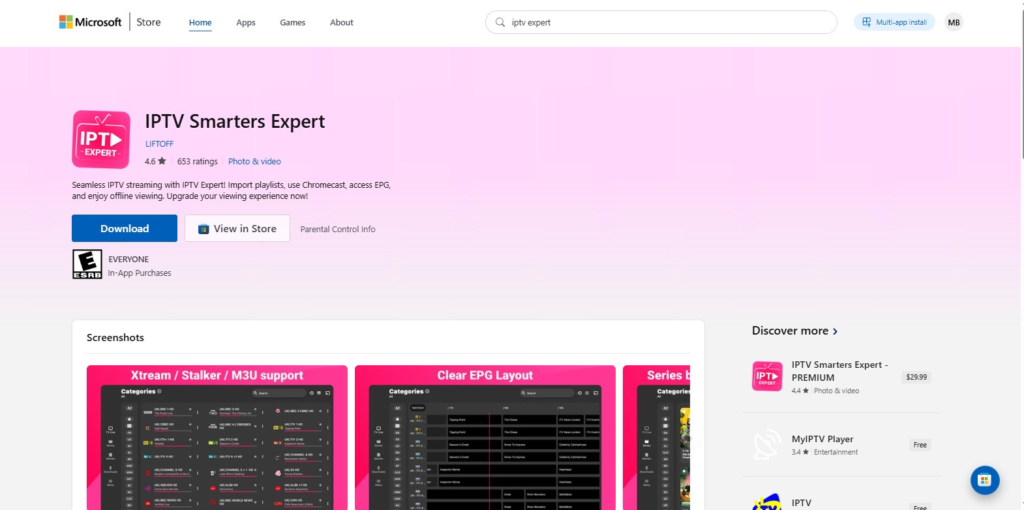
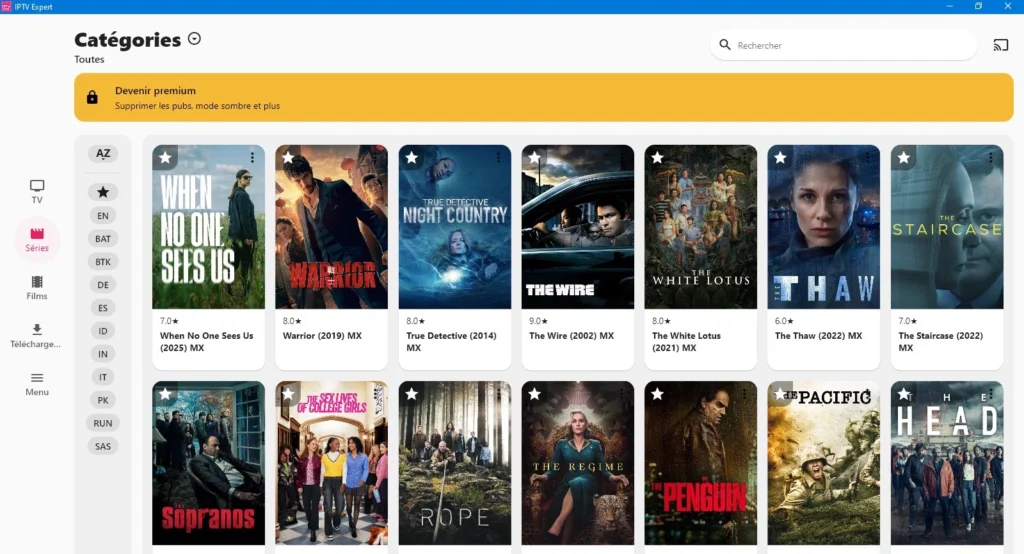
IPTV Expert stands out for its support for M3U8 and M3U playlists. It also allows users to add a subscription via Xtream Codes and is compatible with Stalker Portal. The app can automatically organise content into live channels, films and series. It also provides an IPTV programme guide to check show schedules, supports Chromecast for viewing on a bigger screen, and includes a Replay feature. In addition, it lets users add more than one IPTV provider or profile, search within the content, use Picture-in-Picture mode, and access a Premium version with extra features.
Pros :
- Supports M3U and M3U8.
- Works with Xtream Codes.
- Compatible with Stalker Portal.
- Organises content clearly.
- Includes EPG and Replay.
- Supports Chromecast.
- Allows multiple profiles.
Cons :
- Some features need Premium.
- No IPTV content included.
- Depends on internet quality.
- Requires a valid IPTV provider.

IPTV Smarters expert
How it works :
- Download IPTV Smarters Expert from the Microsoft Store and open it.
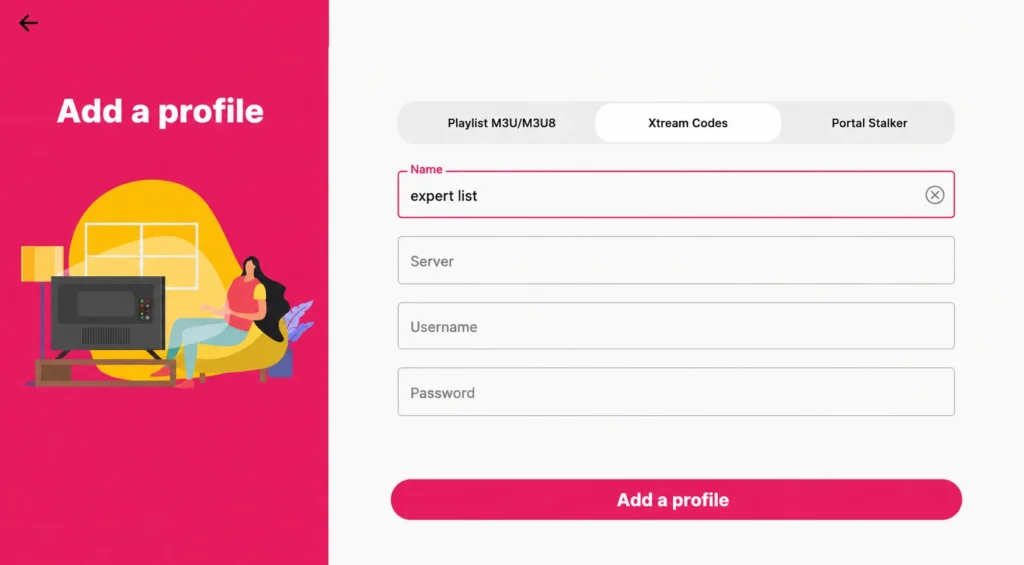
- Choose the Xtream Codes login option.
- Enter the username, password and server URL provided by your IPTV provider.
- Wait for the content to load, then start watching live channels, films or series.
IPTV Smarters pro :
IPTV Smarters Pro is a media player that works well on Windows, allowing users to watch IPTV channels directly from a PC. It supports live channels and on-demand content, and also lets users log in using Xtream Codes. The app includes a favourites section to save important channels, allows screen size adjustment during playback, and offers a Multi-Screen option for watching several channels at the same time. It can also play some content from the beginning when scheduled in advance, while supporting subtitles, zoom in/out, and many other useful features.
Pros :
- Works well on Windows PC.
- Supports live channels and VOD.
- Uses Xtream Codes login.
- Includes a favourites section.
- Offers Multi-Screen viewing.
- Supports subtitles.
- Allows screen size adjustment.
Cons :
- Needs a stable internet connection.
- Setup may confuse new users.
- Performance can vary by playlist.

IPTV Smarters pro
How it works :
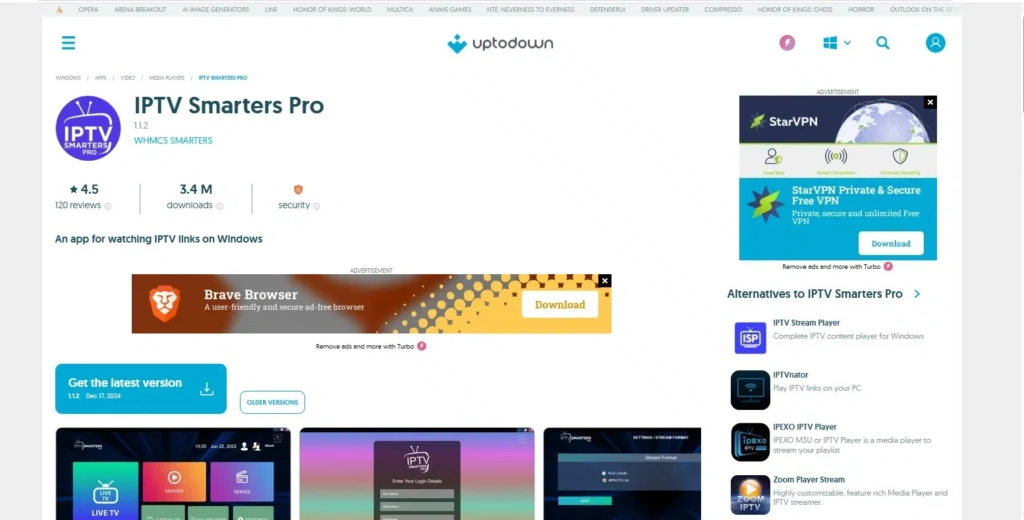
- Install IPTV Smarters Pro from the Microsoft Store.
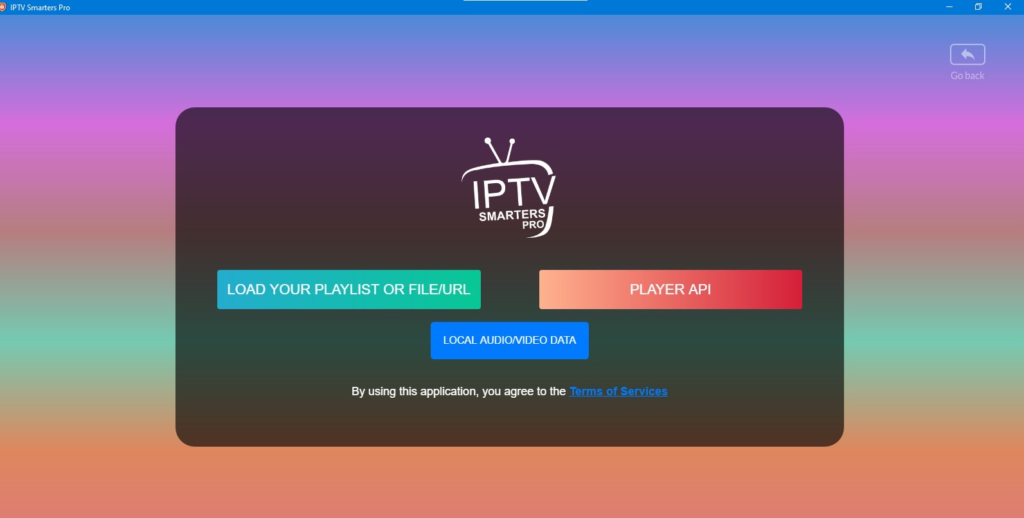
- Open the app and select Xtream Codes API.
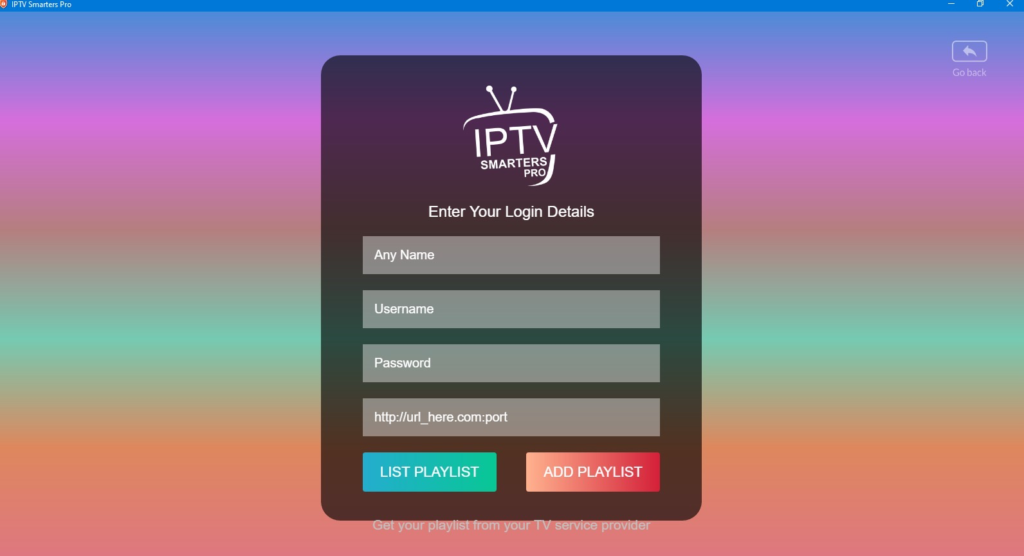
- Add your subscription details: server URL, username and password.
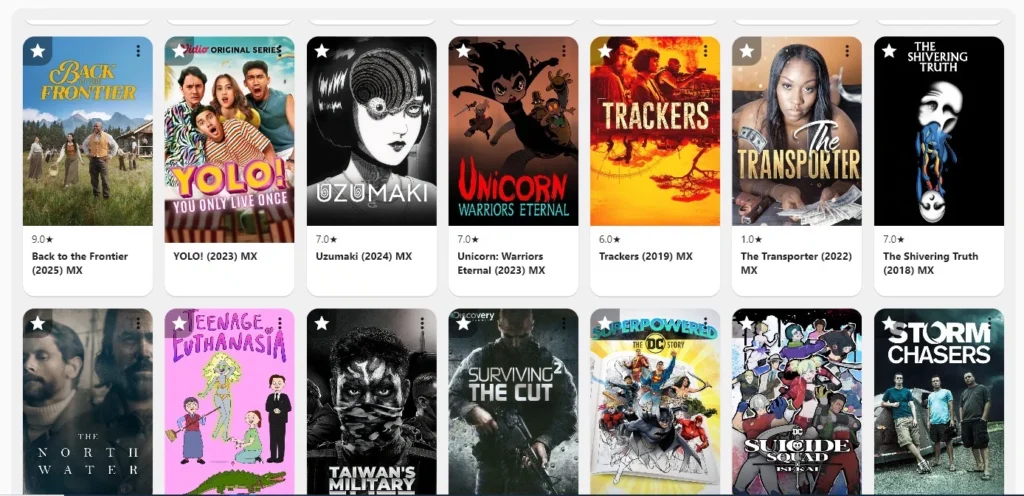
- Let the app load the playlist, then choose your content and start streaming.
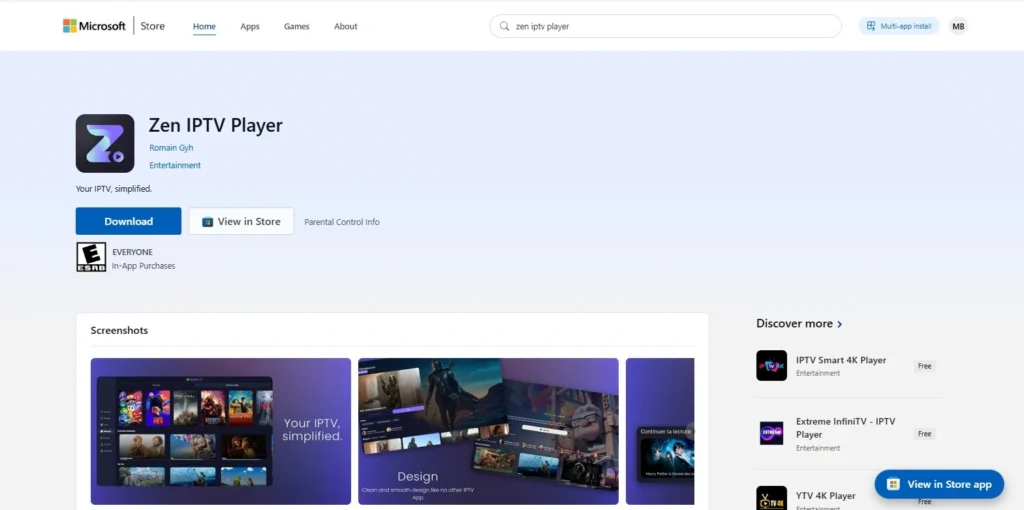
Zen IPTV Player :
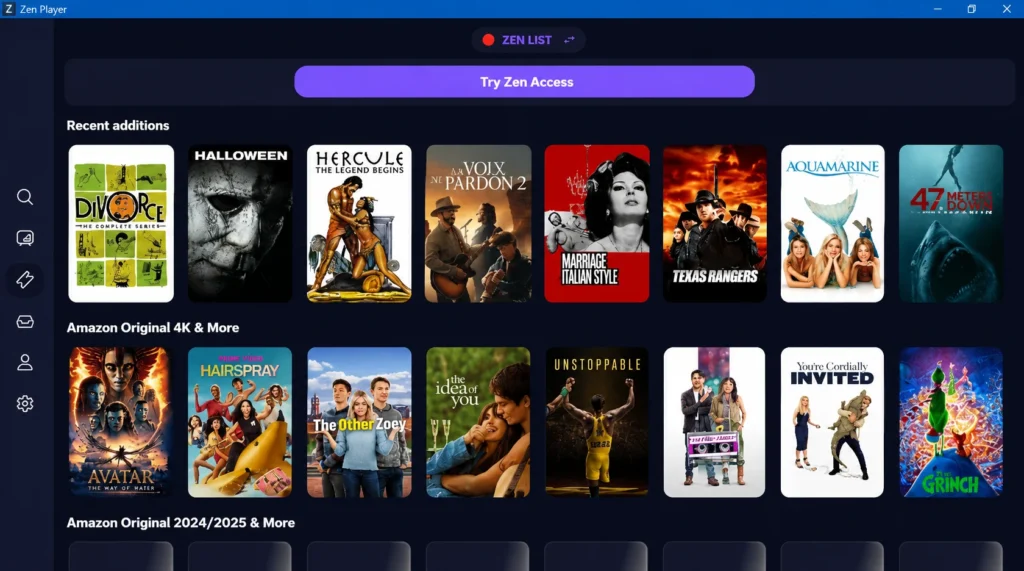
Zen IPTV Player features a clean and well-organised interface that lets users watch live channels, films and series in high quality, including 4K, HDR and Dolby Vision. It also supports subtitles, multilingual audio tracks and Picture-in-Picture mode. The app includes an EPG programme guide, allows users to create several viewing profiles for the family, resume watching from where they left off, and automatically groups different versions of films or channels by quality.
Pros :
- Clean and organised interface.
- Supports live TV, films and series.
- Works with 4K, HDR and Dolby Vision.
- Includes EPG programme guide.
- Supports subtitles and multiple audio tracks.
- Offers Picture-in-Picture mode.
Cons :
- Some features need Zen Access.
- Depends on playlist quality.
- Needs a stable internet connection.
- Advanced options may need setup.

Zen IPTV Player
How it works :
- Download Zen IPTV Player from the Microsoft Store.
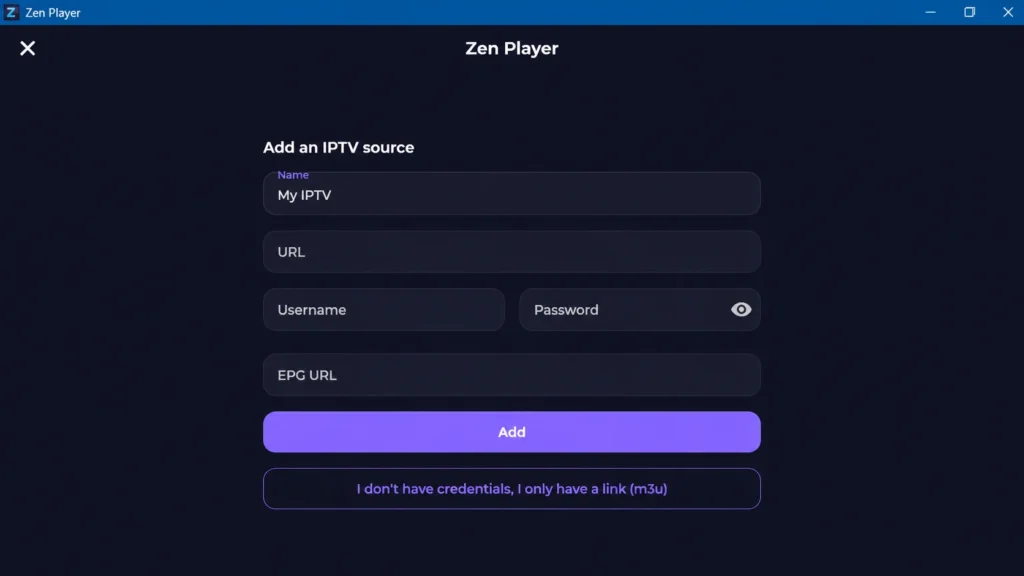
- Launch the app and add a new playlist with Xtream Codes.
- Fill in the details given by your provider.
- Wait until the channels, films and series appear, then begin watching.
IPTV stream player :
IPTV Stream Player is a dedicated IPTV player for Windows that supports IPTV playlists and allows users to watch content in full-screen mode or inside a window. It also shows a Recently Watched section, making it easier to return to the last content viewed. The app includes a favourites list for saving preferred channels, supports EPG to check channel schedules, and offers a fast, easy-to-use interface for watching live TV, films and series.
Pros :
- Supports IPTV playlists.
- Works with M3U and M3U8.
- Supports Xtream Codes.
- Includes EPG guide.
- Has a favourites section.
- Shows recently watched content.
- Offers full-screen playback.
Cons :
- No content included.
- Requires your own IPTV subscription.
- Depends on playlist quality.

IPTV stream player
Ibo player pro :
Ibo Player Pro is considered one of the practical IPTV players that allows users to add channels and content through different formats, with a simple interface that helps them reach what they want quickly. It supports fast streaming, all screen resolutions, advanced M3U controls, favourites for channels, films and series, plus parental controls for safer family use. It also offers a one-week trial before activation.
Pros :
- Fast and easy streaming.
- Supports all screen resolutions.
- Advanced M3U player controls.
- Simple and practical interface.
- Favourites for channels and VOD.
- Includes parental controls.
- One-week free trial available.
Cons :
- Activation required after trial.
- No content included by default.
- Needs your own IPTV playlist.

Ibo player pro
ALL IPTV player :
All IPTV Player offers a comfortable user experience, allowing users to add their subscription easily and watch channels, films and series from one place. It supports smooth IPTV streaming, simple navigation and quick access to content. Users can also create and manage playlists, find channels quickly, and open their favourite channels instantly for a more practical viewing experience.
Pros :
- Smooth IPTV streaming.
- Easy playlist management.
- Quick channel search.
- Simple navigation.
- Fast access to favourites.
- Practical for daily use.
- Easy subscription setup.
Cons :
- No content included.
- Requires your own playlist.
- Depends on IPTV provider.
- Needs stable internet.

ALL IPTV player
IPTV Smarters lite :
IPTV Smarters Lite is a suitable choice for anyone looking for an organised IPTV player that supports different playlists and offers a clear way to browse content. It provides a smooth and efficient experience, with Xtream playlist support, a powerful playback engine and a visually appealing design. Its intuitive, user-friendly interface makes navigation easier, helping users access channels, films and series comfortably from one place without unnecessary complexity.
Pros :
- Supports Xtream playlists.
- Smooth playback experience.
- Powerful playback engine.
- Clean and attractive design.
- Simple, user-friendly interface.
- Easy content navigation.
Cons :
- No content included.
- Requires an IPTV subscription.
- Depends on provider quality.
- Needs stable internet.

IPTV Smarters lite
VLC media player :
VLC Media Player allows users to follow their favourite content in high quality, with support for smooth channel playback and useful streaming options. It is a free, open-source and cross-platform media player developed by the VideoLAN project. VLC works on desktop and mobile devices, supports many audio and video formats, and can also be used to play IPTV streams through compatible playlist links.
Pros :
- Free and open-source player.
- Works on many devices.
- Supports many video formats.
- Plays IPTV playlist links.
- Lightweight and reliable.
- Good for smooth playback.
Cons :
- Interface feels basic.
- IPTV setup is manual.
- No modern IPTV layout.
- Limited built-in organisation.
- EPG support is not simple.

VLC media player
Kodi :
Kodi offers a viewing experience close to modern platforms, with an organised interface and clear access to videos, music, photos, podcasts and other digital media. kodi is a highly free, open-source and cross-platform media player designed for home theatre use, especially with remote control navigation. Kodi does not include any content, so users must add their own media or use compatible legal add-ons.
Pros :
- Works across different platforms.
- Good for home theatre use.
- Remote-control friendly interface.
- Supports videos, music and photos.
- Allows legal add-ons.
- Customisable media experience.
- Clean default Estuary skin.
Cons :
- No content included.
- Setup can take time.
- Some add-ons may not work.
- Beginners may find it complex.

Kodi
MyIPTV player :
MyIPTV Player allows users to add IPTV content easily, either through an M3U link or through subscription details provided by the provider. It supports Xtream Codes, Catchup, built-in EPG, HLS and MPEG TS streaming, automatic channel grouping, favourites management and multiple playlists. Users can also filter channels, save streams, download VOD files, use PIN protection and choose between VLC library or Windows media playback.
Pros :
- Supports HLS and MPEG TS.
- Groups channels automatically.
- Allows channel filtering.
- Built-in favourites management.
- Supports multiple playlists.
- Can download VOD streams.
- Includes PIN protection.
Cons :
- No IPTV channels included.
- Requires your own playlist.
- Setup may take time.
- Interface can feel basic.

MyIPTV Player
M3U IPTV :
M3U IPTV’s main strength is that it combines ease of use with good organisation, making the viewing experience more comfortable across different devices. It lets users stream IPTV channels on the go or on Android TV completely free, without registration. To start, users only need to load their IPTV playlist from a USB drive, phone storage or URL in M3U or M3U8 format and begin watching easily.
Pros :
- No registration required.
- Supports M3U playlists.
- Supports M3U8 format.
- Works on Android TV.
- Can load playlists from URL.
- Supports USB playlist import.
- Simple setup process.
Cons :
- No IPTV content included.
- Requires your own playlist.
- Limited advanced features.
- Depends on playlist quality.
M3U IPTV
IPTV Smart player :
IPTV Smart Player provides a simple way to watch live channels and on-demand content, with the option to save favourite channels and return to them quickly. Designed for Windows, it focuses on smooth, fast and reliable IPTV streaming. The app lets users load M3U playlists easily, offers a full 7-day trial without ads or limits, and requires device activation after the trial for continued access.
Pros :
- Smooth IPTV streaming.
- Fast and stable playback.
- Easy M3U playlist loading.
- Simple interface.
- 7-day full trial.
- No ads during trial.
- No limits during trial.
Cons :
- Activation required after trial.
- No IPTV content included.
- Requires your own playlist.
- Mainly focused on M3U.

IPTV Smart player
Neutro iptv Player :
Neutro IPTV Player suits users who want a clear and fast IPTV player, without too many complications during setup or browsing. When selecting the right iptv player, this player stands out for M3U/M3U8 support, XC/XUI portals, access to live tv, movies and series, plus EPG, favourites, parental lock, hidden groups and universal search. It also offers smooth streaming and a user-friendly experience for Windows PC users.
Pros :
- Supports M3U and M3U8 playlists.
- Works with XC and XUI portals.
- Offers access to live TV, films and series.
- Includes EPG support.
- Built-in universal search.
- Allows favourites management.
- Supports parental lock.
- Can hide unwanted groups.
Cons :
- No content included.
- Requires your own IPTV provider.
- Some features may need Pro.
- Setup may take time.
Neutro iptv Player
IPTV 4K :
IPTV 4K works well on Windows devices, supporting multiple formats and high-quality playback for users’ own IPTV playlists. The app allows you to add M3U playlists or Xtream Codes to watch live TV, films and shows easily. It does not provide any channels or content by itself, as users must add their own subscription. Premium features are available free for 7 days, then some options require the full version.
Pros :
- Works well on Windows.
- Supports M3U playlists.
- Supports Xtream Codes.
- High-quality IPTV playback.
- Good for live TV and films.
- Easy to use.
- 7-day Premium trial.
- Simple playlist setup.
Cons :
- No content included.
- Requires your own IPTV playlist.
- Some features need full version.
- Trial lasts only 7 days.
- Depends on provider quality.
- Needs stable internet.

IPTV 4K
Advice for improving your IPTV streaming experience :
Tips for a better IPTV streaming experience:
- Use a stable and fast internet connection, especially for HD or 4K content.
- Choose a reliable iptv service to reduce buffering and loading issues.
- Start with a basic iptv setup before using advanced options.
- Use a player like Plex only if it supports your playlist needs.
- Keep your app updated for better performance and fewer errors.
- Clear the cache regularly if channels load slowly.
- Download content for offline viewing when the app allows it.
- Use Ethernet instead of Wi-Fi for a more stable connection on Windows.
Conclusion :
Our team has tried to provide a complete guide to the best IPTV players for Windows that work well and offer a smooth viewing experience. We also covered the main features, uses and setup steps for some apps. We hope this article has helped you, and don’t forget to share your opinions and experiences in the comments.
FAQ :
How do you choose the right IPTV app for your Windows device?
To find the best IPTV player apps, check compatibility with windows 11, supported formats, interface clarity and your preference. A good iptv solution should match user needs, support live TV, playlists and vod libraries, while offering a customizable layout for a better streaming experience.
What makes an IPTV player stable and reliable on PC?
A stable player depends on smooth playback, strong format support, reliable codecs and a clean setup. For high-quality streaming, choose an app that handles iptv live content without crashes, loads channels quickly and keeps the iptv experience seamless, especially with a stable internet connection.
Why do some IPTV apps work better with Xtream Codes than M3U links?
Xtream Codes often gives apps better structure than common iptv M3U links because it separates live channels, films and series more clearly. This can improve iptv viewing, make navigation easier and create a more customizable iptv experience, especially for diverse user needs and organised content access.
How important is EPG support when choosing an IPTV player for Windows?
EPG support is very useful because the electronic program guide shows schedules, programme details and broadcast times. It helps users plan what to watch and makes the app feel more complete. For 4k streaming and high-quality content, a good iptv player for windows 11 can enhance your streaming experience.
