If you are thinking about trying the GSE Smart IPTV app, this article is for you. We will share our honest opinion, explain our full experience, and show how to use it on different systems.
Stay with us to discover useful details about the app and decide whether it meets your needs.
Table of Contents
What is GSE Smart IPTV?
GSE Smart IPTV is an iptv player app used to stream live TV, movies, series, and VOD content from a subscription. The GSE IPTV player supports M3U, playlist/playlists, Xtream Codes API, Xtream, RTSP, MMS, and HL formats. You can download it on iOS and other devices. This 4K IPTV player offers playback, channel support, free access, privacy settings, developer updates, and helps reduce buffer issues.
How to Install GSE Smart IPTV?
Installing GSE Smart IPTV on Android
How to use GSE Smart IPTV on Android with Xtream Codes:
- Install the app from Google Play, then open it on your Android device.
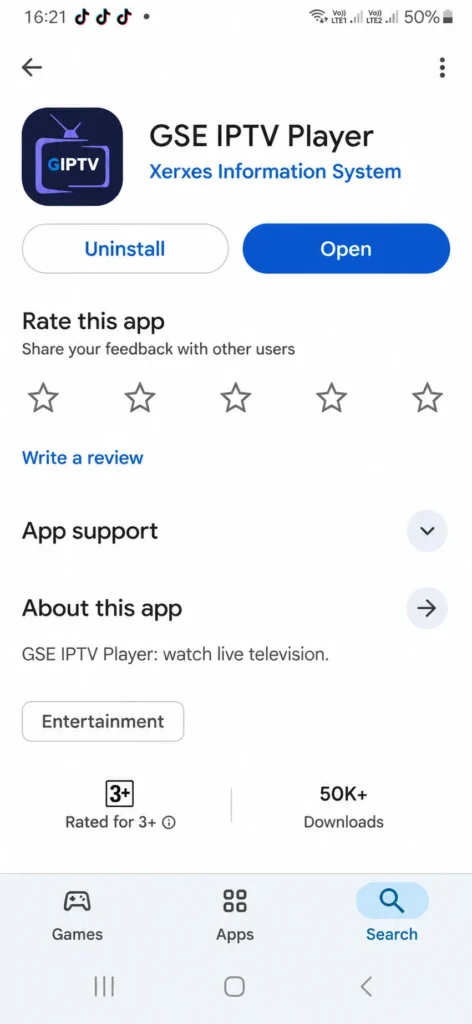
2. From the home screen, choose Add Playlist and select the Xtream Codes option.
3. Enter the playlist name, username, password, and server URL given by your IPTV provider.
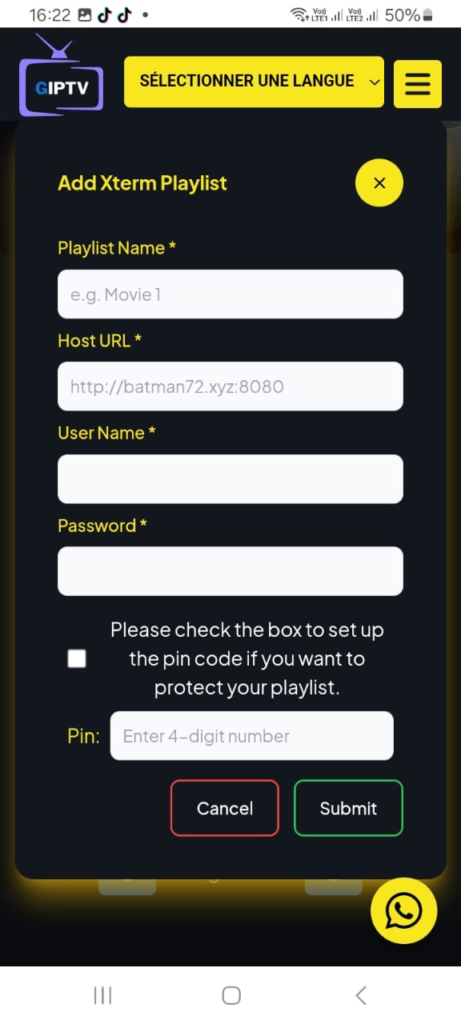
4. Save the details and wait for the app to load the channels, VOD, and series. Once everything appears, you can start watching.
Installing GSE Smart IPTV on iOS
How to use GSE Smart IPTV on iOS:
- Download the app from the App Store and open it.
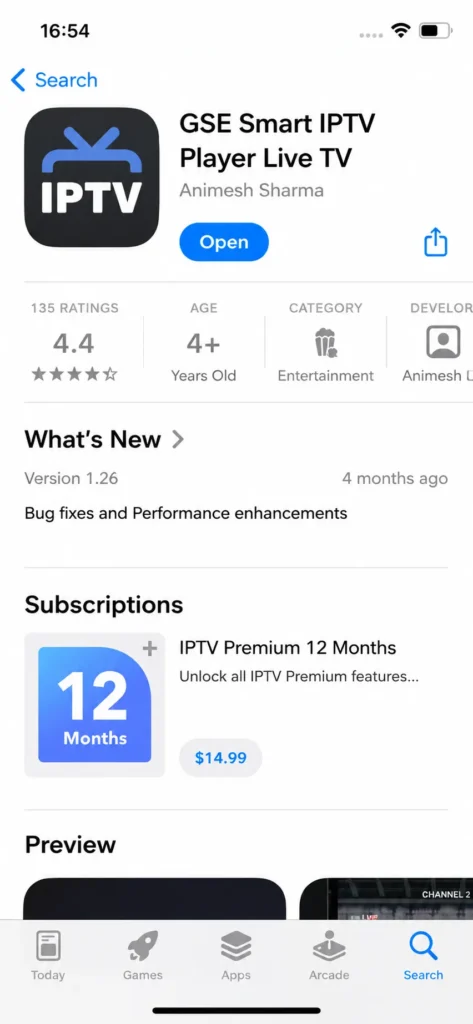
2. Tap Add Playlist, then choose how you want to add your list, such as M3U or Xtream Codes.
3. Select M3U, enter a playlist name, and paste the server link provided by your IPTV provider.
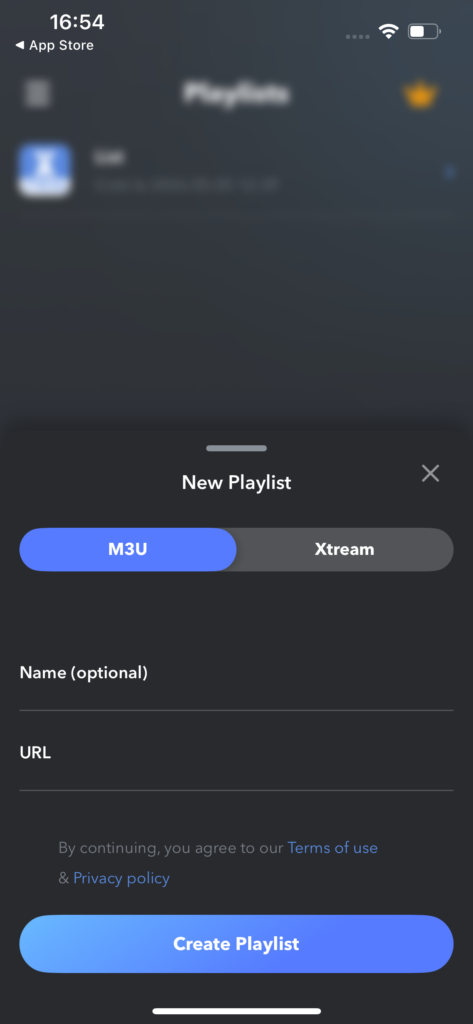
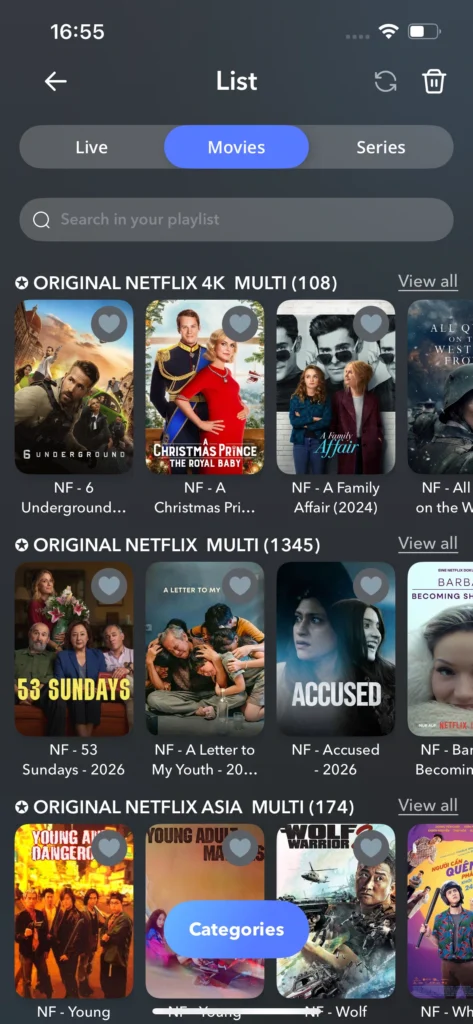
4. Add the playlist and wait a short while for the content to load. Once ready, you can start watching.
Alternative Apps
Televizo :
Televizo is a multimedia player that lets users watch TV channels via the internet. It allows you to add playlists using files or URL links and is compatible with Android and iOS devices. You can add several playlists, which is useful if you have multiple subscriptions. The app also offers a simple interface, parental control to manage children’s viewing, and flexible settings to customise it according to your needs.
Pros :
- Simple, responsive interface great for beginners.
- Lifetime premium for around £10 unbeatable price.
- Developer replies fast, sometimes within minutes.
Cons :
- Buffering issues and some channels go offline randomly.
- Chromecast is unreliable on certain TVs.
- No cross-device sync, even on premium.

Televizo
IBO player :
IBO Player is a premium media player that supports M3U and M3U8 playlists, built for smooth and reliable IPTV streaming. It stands out with 4K streaming support, three different themes, and a built-in VLC player for fast, buffer-free playback. It also provides movie and series posters with full information, plus audio track and subtitle language selection. The app provides no content of its own; users must add their own playlist from a provider. A 7-day free trial is available, after which a licence must be purchased to keep using the app.

flex IPTV :
Flex IPTV is a complete, advanced IPTV solution for both live and non-live streaming, featuring a fast and intelligent M3U playlist parser. It supports local and remote playlists with auto-update, live stream recording, and easy management of favourite channels. The player is compatible with a wide range of formats including M3U8, RTSP, and RTMP, and also supports Xtream Codes API and EPG TV guides. The app includes no content whatsoever; users are fully responsible for providing their own playlist from legal sources.

flex IPTV
Conclusion
We’ve provided a complete, clear experience of the GSE Smart IPTV app, including how to use it on different devices. We hope this article has helped you understand the app better. Do not forget to share your own experience and opinions with us in the comments below.
FAQs
Can GSE Smart IPTV be used for live TV, VOD, and series?
Yes, GSE Smart IPTV can be used for live TV, VOD, movies, series, and catch-up TV. You only need to add your own playlist or subscription details, as the app itself does not provide any channels or content.
Which devices and operating systems are compatible with GSE Smart IPTV?
GSE Smart IPTV works on several platforms, including iOS, Android, Apple TV, and Mac. It is also compatible with many Android phones, tablets, TV boxes, and streaming sticks, which makes it flexible for different users.
How does GSE Smart IPTV handle playback quality and buffering?
GSE Smart IPTV offers smooth playback when the playlist and internet connection are stable. It also includes settings that let users adjust the buffer size. In most cases, buffering problems come from the IPTV provider, the internet speed, or the stream quality.
Is GSE Smart IPTV suitable for 4K IPTV streaming?
Yes, GSE Smart IPTV can support 4K IPTV streaming on compatible devices. For the best results, you need a strong internet connection, a reliable IPTV source, and a device that can handle 4K playback properly.
