If you are looking to try the IBO Pro Player app, this article will give you our full opinion, a complete usage guide, and all the information you need before getting started. Whether you are new to IPTV or looking for a better player, we have got you covered. Stay with us for more!
Table of Contents
What Is IBO Pro Player?
IBO Pro Player is a media player optimized for fast streaming and easy to use. In search of a professional player that will quickly load your m3u playlist and play your favorite channels without glitches? With advanced m3u player controls, a simple UI, and VLC player support, it’s the smarter way to enjoy movies, series, and sports. Especially since IBO supports all screen resolutions including 4K. Activate your account and enjoy the full experience
Compatibility & Availability :
IBO Pro Player is available on a wide range of devices and platforms, making it one of the most versatile IPTV players on the market.
- Android Available on Google Play Store for phones, tablets, Android TV, and Fire Stick
- iOS Available on the App Store for iPhone, iPad, and Apple TV (requires iOS 14.0 or later)
- Windows Available on the Microsoft Store for PC and laptops
- Smart TVs Compatible with Samsung and LG Smart TVs via their respective app stores
- Other platforms Also supports Roku, ZEASN, and Whale OS
My experience :
Android :
Download IBO Pro Player from the Google Play Store.
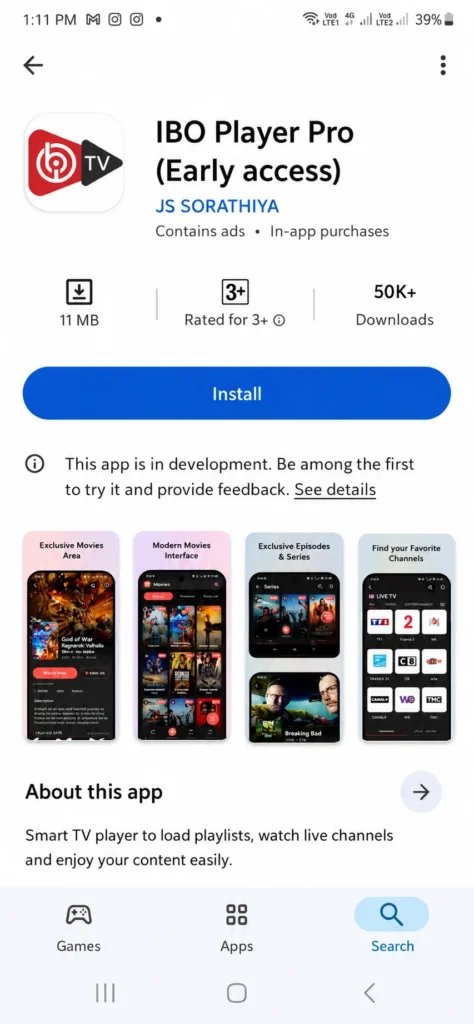
Open the app and note the MAC address displayed.
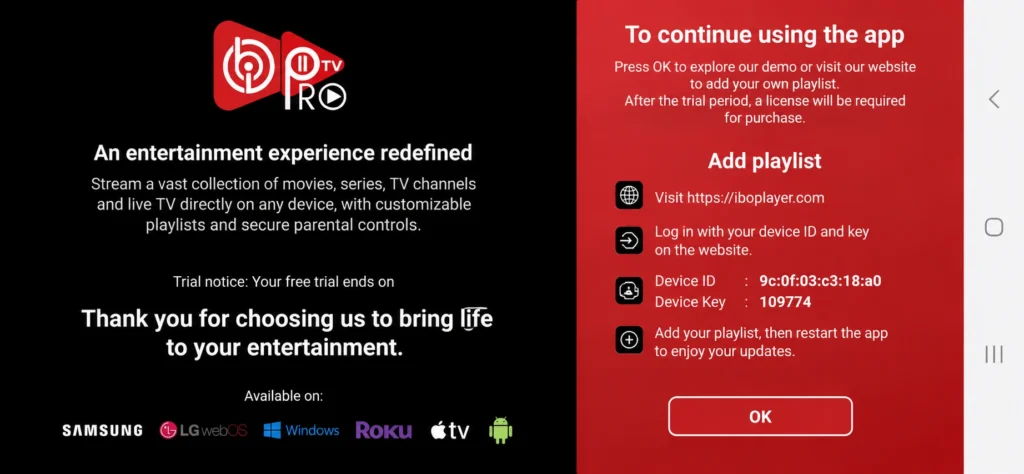
Go to the official website and log in using the MAC address.
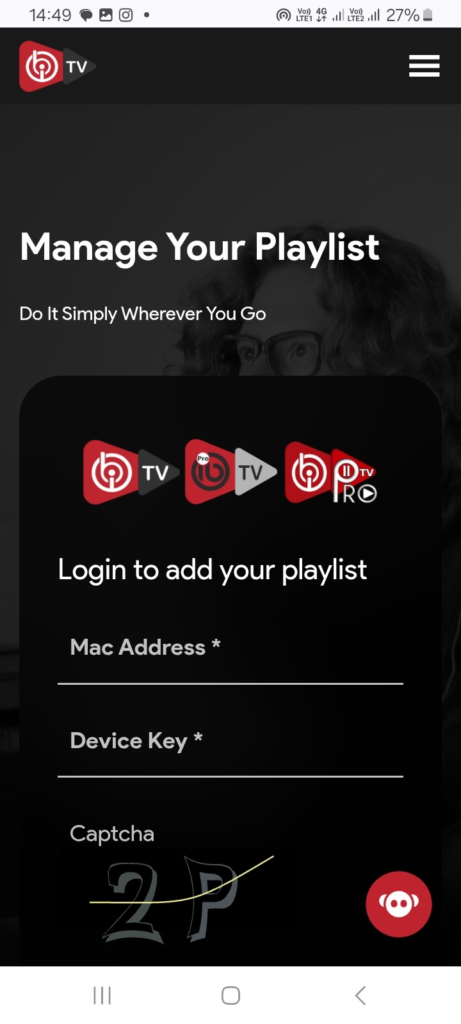
Access “Manage Playlist” and choose a format.
Select Xtream Codes and enter the username, password, and server URL.
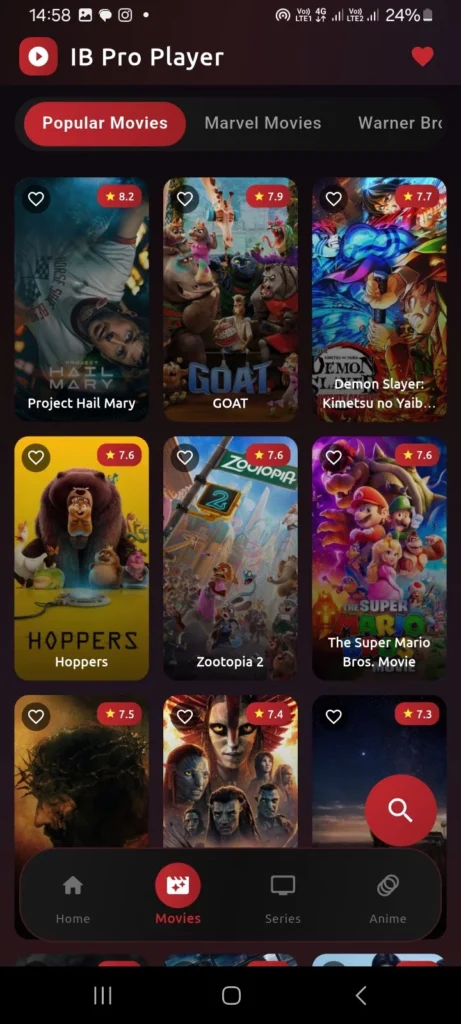
Add the playlist, wait for it to load, then start watching.
IOS :
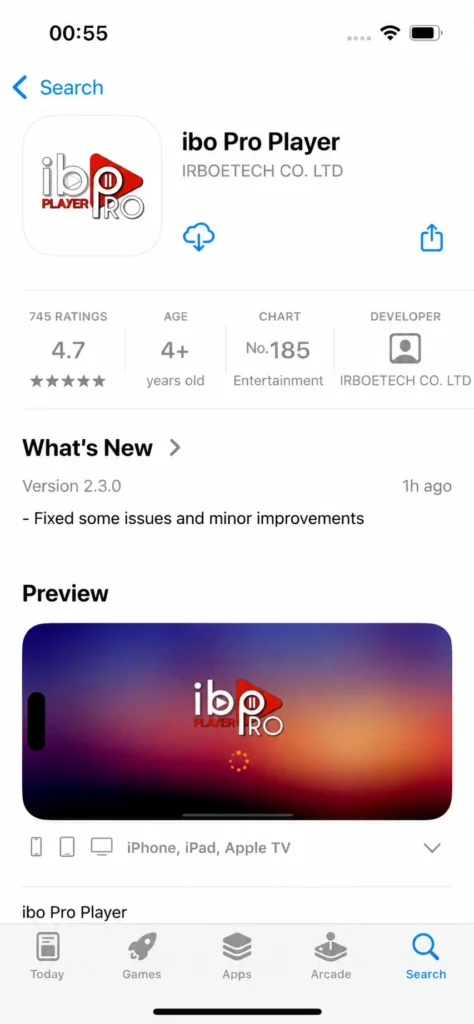
First, to try the IBO Pro Player app, we will begin by downloading it from the Apple Store.
Open the app and note the MAC address shown.
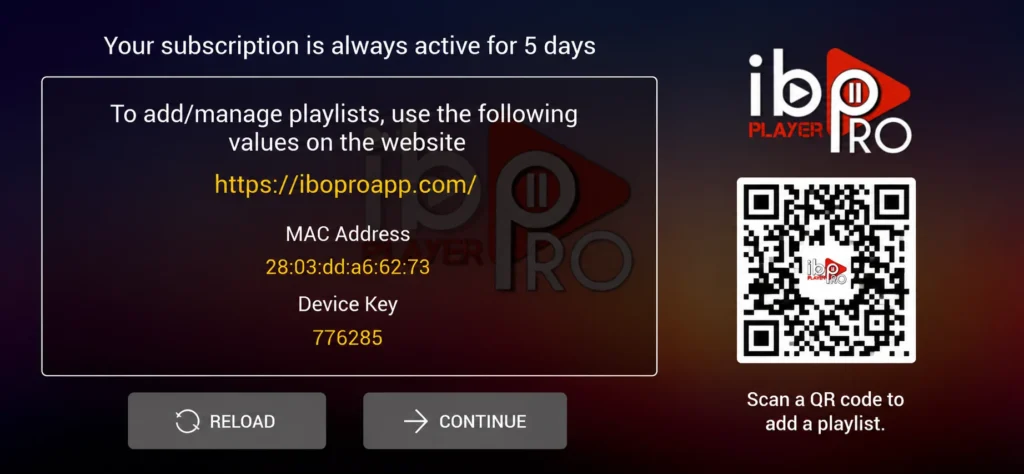
Go to the official website and log in using the MAC address.
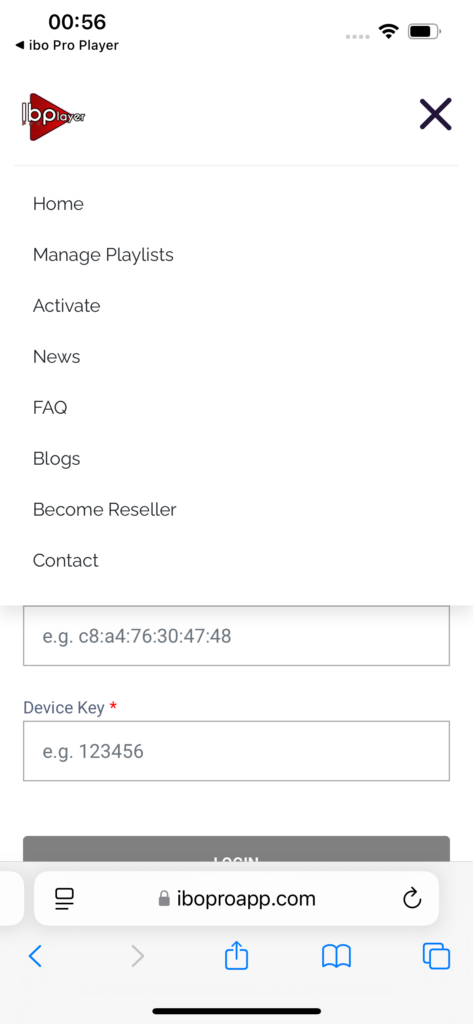
Enter “Manage Playlist” and choose a format.
Select Xtream Codes and enter username, password, and server URL.
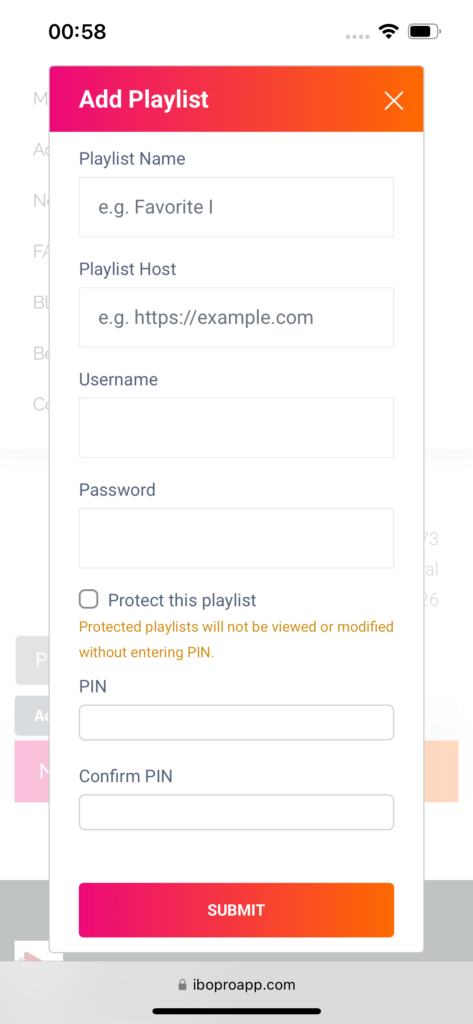
Add the playlist and wait for it to load.
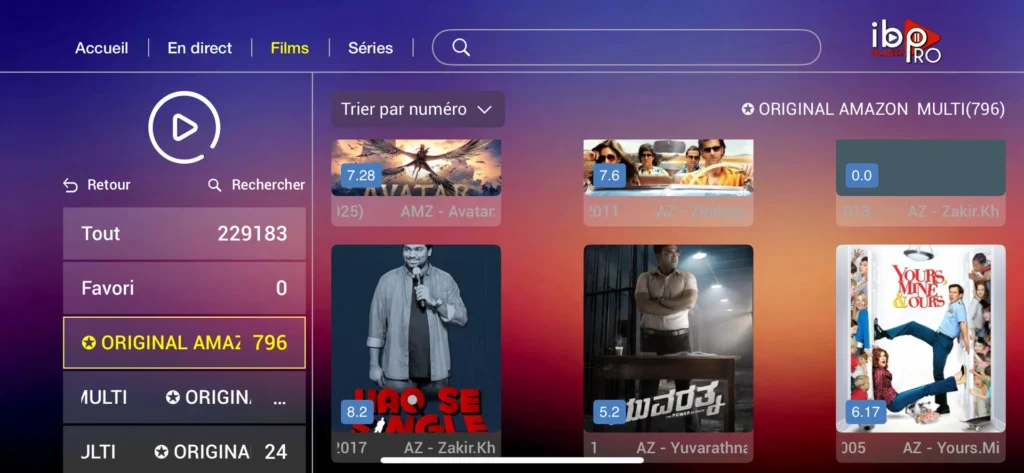
Start watching.
Windows :
Download IBO Pro Player from the Microsoft Store.
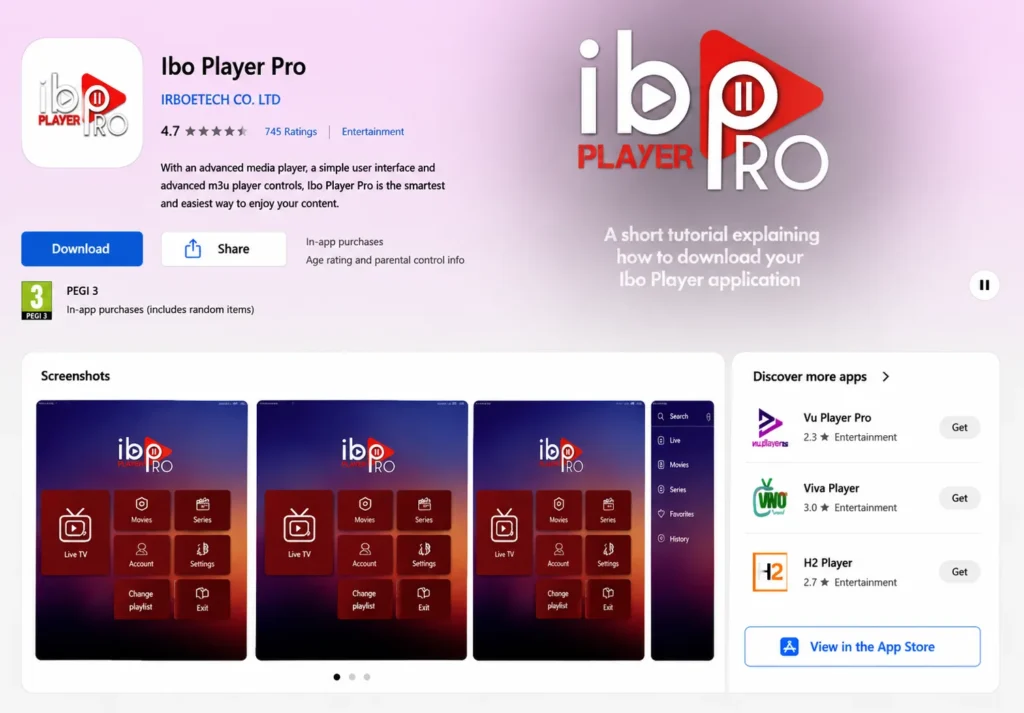
Open the app and note the MAC address displayed.
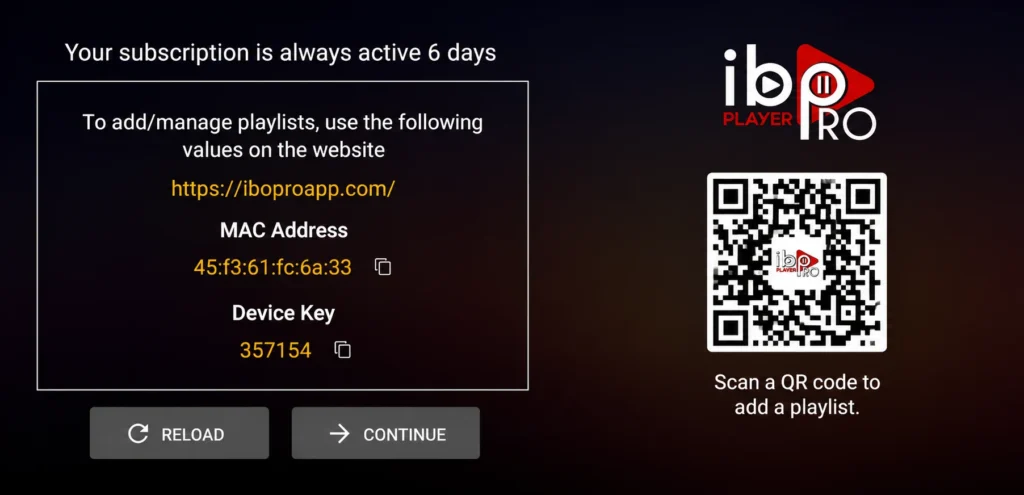
Go to the official website and log in using the MAC address.
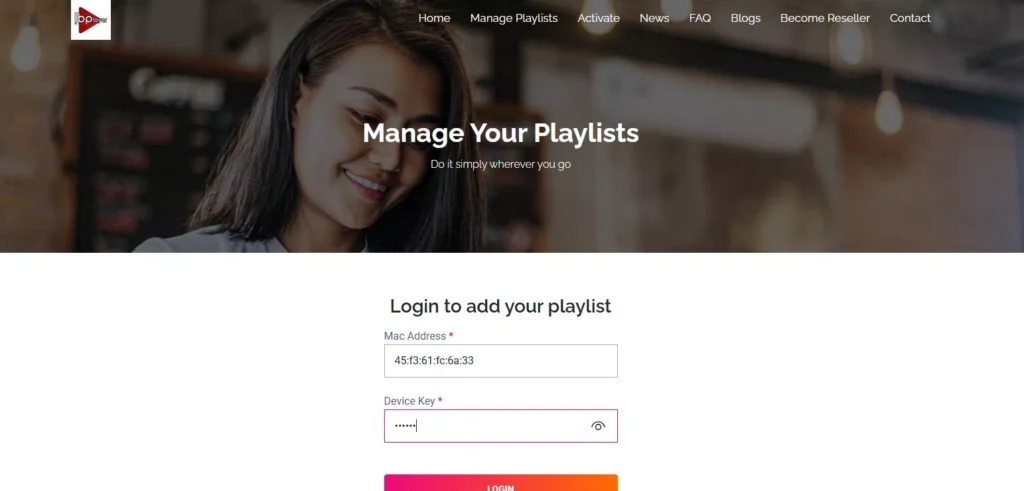
Access “Manage Playlist” and choose a format.
Select Xtream Codes and enter the username, password, and server URL.
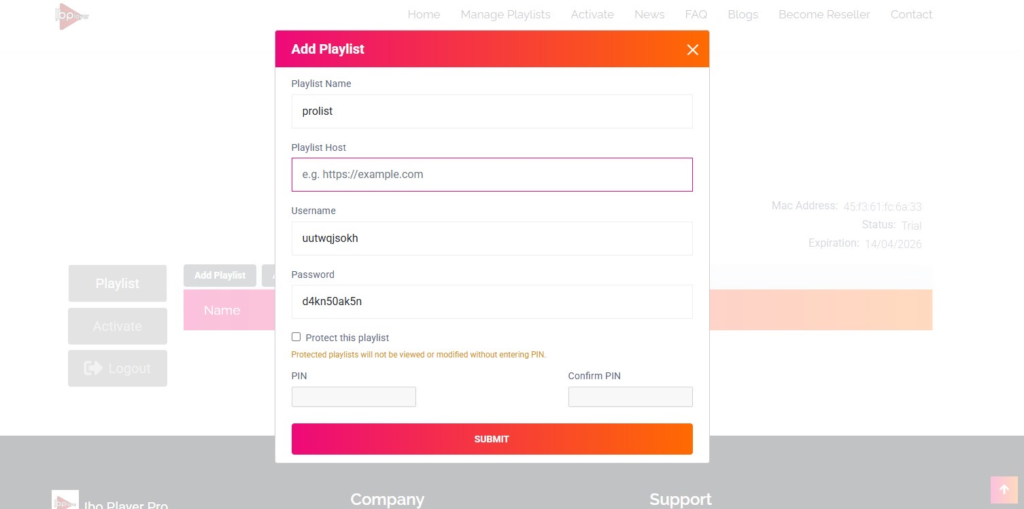
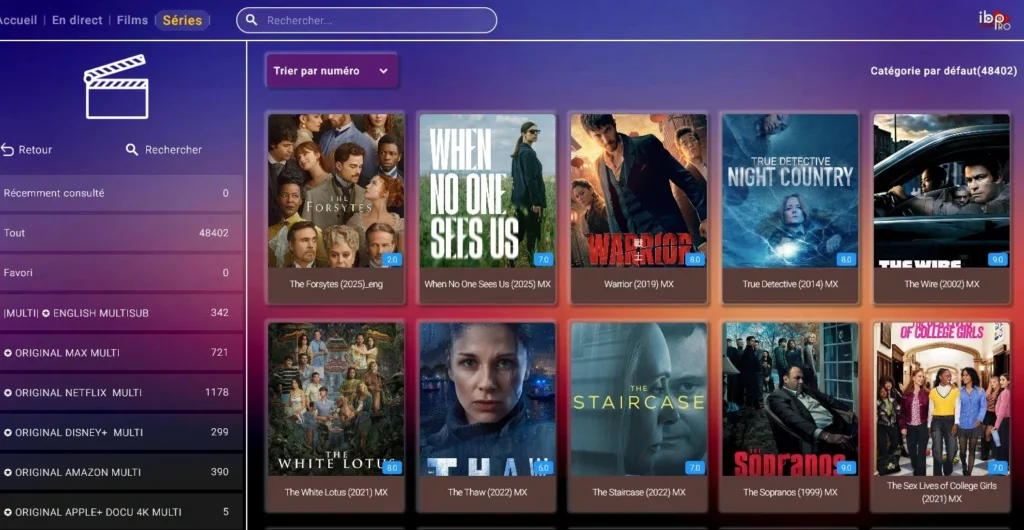
Add the playlist, wait for it to load, then start watching.
The Pros and Cons of IBO Pro Player :
Pros :
- Works perfectly with live TV and has great options for viewing
- Fluid and fast channel changing compared to other apps
- Customizable layout and settings, including subtitle options
- Supports a variety of file formats any M3U URL or playlist runs easily
- Supports MX Player, VLC Player, and Fast Streaming, with the option to add channels and movies to a favorites list
- Parental control feature allows parents to restrict access to certain content, making it a safe option for families
- Fast and straightforward performance largely depends on the quality of the user’s subscription
Cons :
- Frequent freezing and buffering issues during playback
- Poor and unresponsive customer service, with users waiting long periods for replies
- Issues with license management and MAC address changes that may require repurchase
- Problematic updates that lead to app crashes or reinstallation issues
- No option to add entire groups such as movie channels or series categories to favorites
- Most functionality not working properly on Apple devices
- Some updates caused users to lose their favorites list and password protection settings
IBO Pro Player
Alternatives apps to ibo pro player :
GSE Smart IPTV :
GSE IPTV Player is a free advanced media player for iOS , android and Windows devices, designed to stream live TV, EPG, VOD, video series, and movies. It supports M3U, Xtream Codes API, 4K streaming, and multiple network formats including HLS, MMS, and RTSP. With a simple, fast, and user-friendly layout, it offers powerful search and sorting tools. The app contains no preset channels users must add their own playlists. Premium plans start from $4.99/month.
Pros :
- Free to download and use
- Supports M3U & Xtream Codes API
- Built-in powerful 4K player
- Simple, fast, and user-friendly layout
Cons :
- No preset channels or content included users must provide their own playlists
- Premium subscription required to unlock all features .

GSE Smart IPTV
IPTV stream player :
IPTV Stream Player is a powerful video player for both Android and iPhone users, designed to deliver a smooth and flexible streaming experience. It supports 4K content, major video formats, subtitles, dual audio, global search, favourites, parental control, hide content, multiple language support, and a built-in speed test. Just add your own playlist from your IPTV provider and enjoy seamless entertainment anytime, anywhere. No content is included it is a player only
Pros :
- Supports major video formats
- 4K content support for high quality streaming
- Subtitle and dual audio support
- Global search for quick access to content
- Global favourites and recent playlist feature
- Parental control for family-safe viewing
Cons :
- Requires an IPTV provider subscription to watch any content
- Full feature availability may vary between Android and iOS versions
- No built-in EPG guide mentioned

IPTV stream player
VLC player :
VLC Media Player is a free, open-source player that works on Android, iPhone, Windows, and Mac, trusted by millions of users worldwide. It plays any video or audio file from MPEG, AVI, and MP3 to Blu-ray and DVD without installing extra codecs. With a simple and elegant interface, subtitle support, full customization, and the ability to play incomplete or corrupted files, VLC remains one of the most versatile and reliable media players available.
Pros :
- Completely free and open-source
- Works on Android, iPhone, Windows, and Mac
- Supports a wide range of formats including MPEG, DivX, AVI, MP3, Blu-ray, DVD, and CD
Cons :
- Interface may look outdated compared to modern media players
- Some advanced features can be difficult to find for beginners

VLC player
Conclusion :
In this article, our team worked hard to provide you with all the information related to IBO Pro Player, along with our honest opinion about it. We hope this article was helpful and gave you a clear idea about the app. Don’t forget to share your thoughts and experience with us in the comments below
